HW6: Web APIs
Due: Monday, Nov 16th
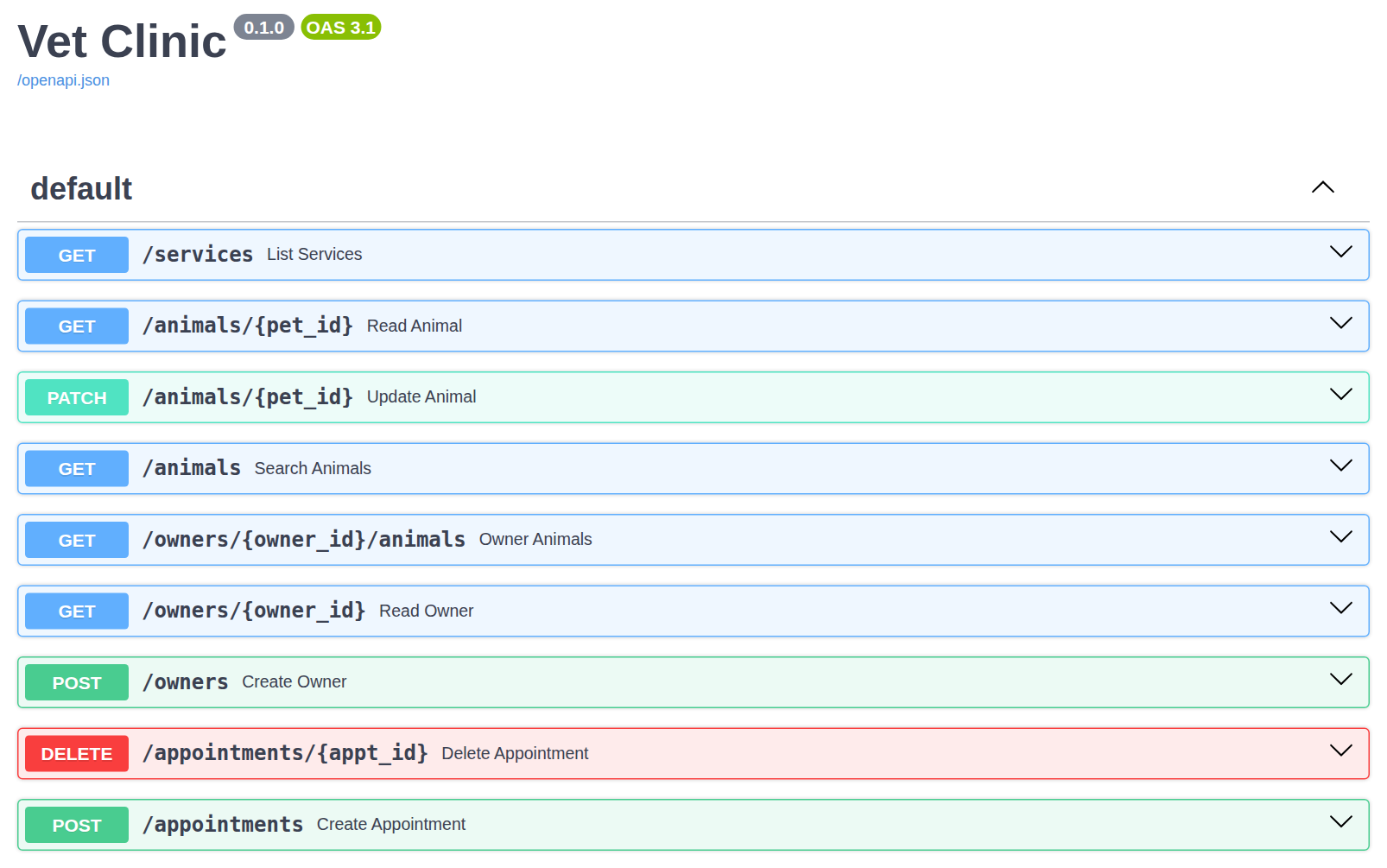
In HW4 you built the Vet Clinic database. In this assignment you will put a web API in front of it: eight endpoints that read, add, change, and delete its rows, each returning JSON and a status code that says what happened. This is the same work your team will do in GP5, on a small schema you already know.
Objectives
- Write path operations that read one row, search with optional query parameters, and follow a relationship.
- Declare request and response models that control exactly what a client may send and what it receives.
- Create, update, and delete rows, returning 201, 204, 404, 409, or 422 as the situation requires.
- Enforce a rule in an endpoint that no database constraint can express.
Instructions
Step 1: Set up
Download these three files into a new folder outside your planner clone:
- hw6.py – the template, with every problem described in a comment
- vet.py – the HW4 model classes, provided; do not edit
- vet.db – the clinic's data, provided; do not edit
Activate your planner virtual environment, which already has FastAPI and SQLModel, and start the server from that folder:
fastapi dev hw6.py
Open http://127.0.0.1:8000/docs and try the example, GET /services.
The server restarts every time you save hw6.py.
Step 2: Part 1, read-only requests
Problems 1–3 use only what we covered on Tuesday: path parameters, query parameters, and HTTPException.
They follow the practice_api.py examples from class.
Step 3: Part 2, request and response models
Problems 4–8 use Thursday's material: classes without table=True that describe a request body or a response, status codes other than 200, and handling IntegrityError.
Write each class with exactly the name and fields that its problem gives, since the autograder checks them.
Testing your endpoints
Each problem lists the requests the autograder sends and what it expects back.
Try each one with Try it out on the /docs page before you submit.
The autograder runs against a fresh copy of vet.db, so whatever you add or delete while testing does not matter.
To start over with the original data, download vet.db again.
Submission
Submit your hw6.py to the HW6 assignment on Gradescope.
The autograder sends the requests listed in each problem to your app, using its own copy of vet.db.
There is no limit on the number of submissions and no penalty for excessive submissions.
Your code will first be graded by Gradescope and then by the professor. The grade you receive from Gradescope is the maximum grade that you can receive on the assignment. Points will be allocated as follows:
| Criterion | Points | Details |
|---|---|---|
| Autograder | 80 pts | 10 per problem |
| Code Review | 20 pts | Partial Credit Possible |
The code review will include:
- Whether each endpoint lets the database do the work: one query rather than a Python loop over every row.
- Your handling of errors, including rolling back the session after an
IntegrityError. - The readability of your code, including names and comments.