Lab: Tree Exercises
Today's lab will focus on writing algorithms to recursively traverse and manipulate binary trees.
We will be using an online tool called CodeWorkout to complete these exercises. Creating an account is optional, but it will allow you to track your progress and save your work.
Instead, we will have you submit screenshots of your completed exercises. You will receive credit for each fully completed exercise.
BinNode Class
These exercises utilize a BinNode class that represents a node in a binary tree. Here are the methods available in the BinNode class:
classDiagram
direction BT

class BinNode {
    +value() int
    +setValue(v: int)
    +left() BinNode
    +right() BinNode
    +isLeaf() boolean
}
The value methods should be straight-forward. The left() and right() methods return a reference to the left and right child of the node, respectively. The isLeaf() method returns true if the node is a leaf node (i.e., it has no children).
Warmup
Start with this exercise (solution is available if needed):
The problem will want you to make your solution as "elegant" as possible. You shouldn't need to call isLeaf(), nor do you need to check if the left or right child is null.
Hints
- Start with the base case:
- If the
BTsumallmethod is called with anullnode, return 0.
- If the
- If we had the sum of the left and right subtrees, that would help us solve the problem!
- Trust that the recursive calls will work, then call them.
- As long as your base case is correct, the recursive calls will eventually reach the base case.
- What should you return after the recursive calls?
- Add the current node's value to the sum of the left and right subtrees.
Solution
public int BTsumall(BinNode root)
{
    if (root == null)
    {
        return 0;
    }

    int leftSum = BTsumall(root.left());
    int rightSum = BTsumall(root.right());

    return root.value() + leftSum + rightSum;
}
Screenshots
To receive credit for this exercise (and others), once done, take a screenshot of your work and save it so that you can submit it later. Your screenshot must include:
- The name of the exercise
- Your solution code
- Your grade (i.e., the
10/10score -- and optionally, the list of test cases that passed)
Example:
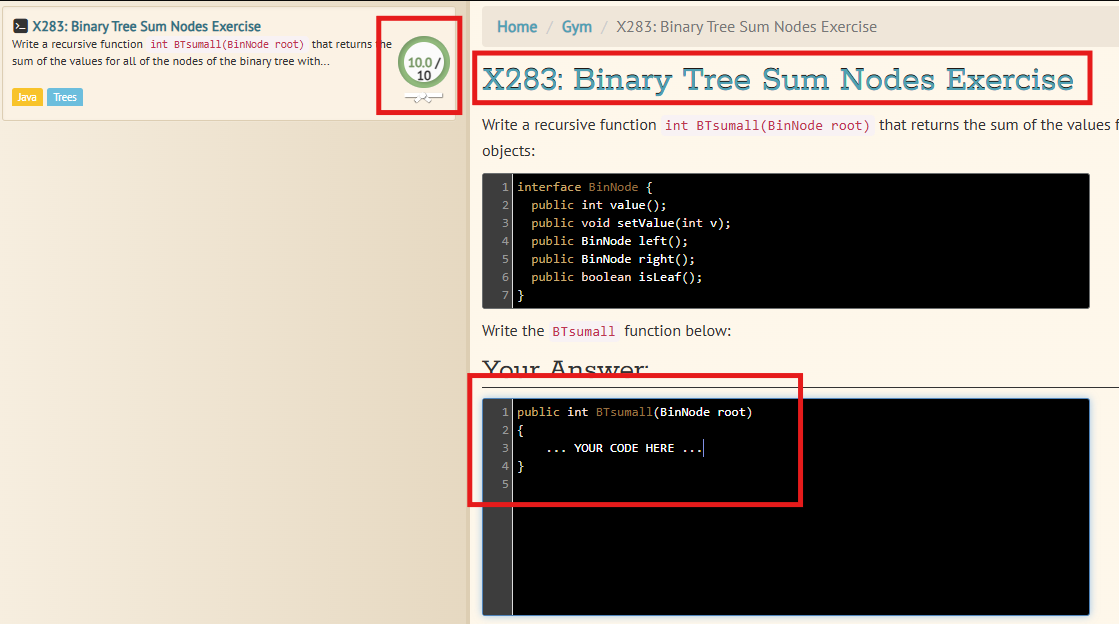
The required sections are marked to show what you need to include to receive credit. You do not need to mark them in your own screenshots.
Remaining Exercises
Afterwards, complete the following exercises (recommended in this order):
For each exercise, don't forget to save a screenshot of your work and the test feedback!
You will need to submit five screenshots in total: one for the warmup and one for each of the remaining exercises.
General Tips
- Read the problem carefully. Make sure you understand what the problem is asking for before you start writing code.
- Draw a picture of the tree. This can help you visualize the problem and come up with a plan.
- These will all require recursive solutions!
- Start with a base case. What is the simplest form of the problem with a known solution?
- Make recursive calls. What can you do with the result of those calls? Trust that the recursive calls will work and use their results to solve the current step of the problem.
Optional: Harder Problems
If you finish early, you can try some harder problems:
No submission is required for these harder problems.
Submission
Submit all five screenshots of your completed exercises (including the warmup) to the corresponding Canvas assignment. You will receive credit for each fully completed exercise.