Mar 05: SSH Tunnel, venv, faker
Learning Objectives
After today's class, you should be able to:
- Configure an SSH tunnel for connecting to the database server.
- Create a Python virtual environment and install packages using
pip.
Lesson Outline
Tests [10 min]
- Go over Test 1
- Test 2 on Thursday after Spring Break
Homeworks [5 min]
- HW5 is due next Thursday (Mar 11); note: gradescope is not ready
- HW4 is extended until next Friday (Mar 13) to give time to complete with team
SSH Tunnel [15 min]
Python venv [15 min]
- Open your
CS374folder in VS Code - From the command pallette (press F1)
- Python: Create Environment…
- Venv (in current workspace)
- Open a terminal in VS Code
- Windows users should use "Git Bash" as their shell in VS Code.
- That way, the commands will be the same as on Linux and macOS.
- Your prompt should begin with
(.venv)- If it doesn't, run the command
source .venv/bin/activate
- If it doesn't, run the command
- Run the following commands:
pip install --upgrade pip
pip install "psycopg[binary]"
pip install faker
- Windows users should use "Git Bash" as their shell in VS Code.
Faker module [20 min]
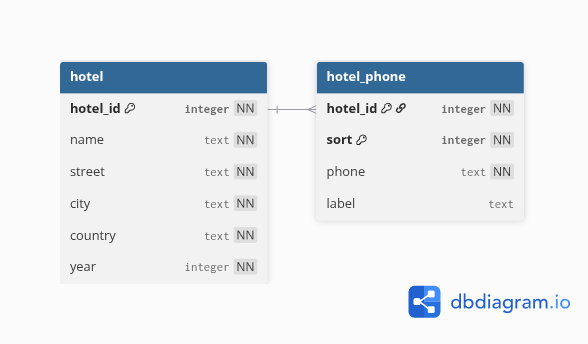
Activity [10 min]
- Begin activity - psycopg and faker