Prep 3: Styling & DOM
Textbook “Reading”
- CSS
- 4.1 What Is CSS?
- 4.2 CSS Syntax
- 4.3 Location of Styles
- 4.4 Selectors
- JavaScript
- 9.1 The Document Object Model
- 9.2 Modifying the DOM
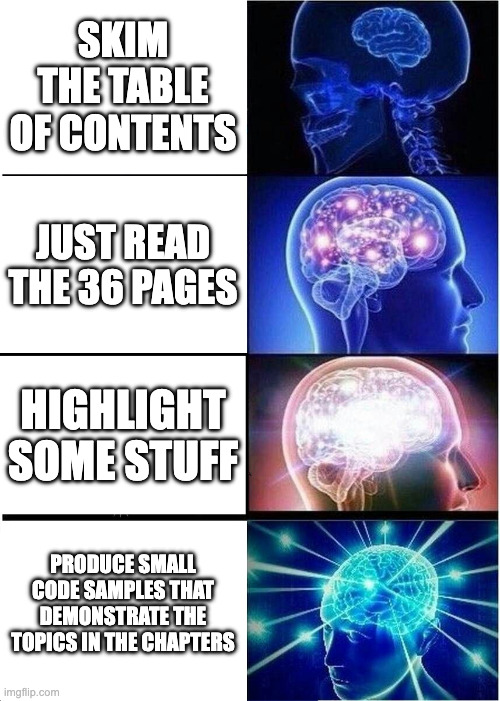
Active Reading 📖
Reading is the tip of the iceberg for how you can benefit when reading a
textbook or other technical documentation. Take these Preps as opportunities
to continue developing your metacognitive skills,
e.g. active reading
Pages 130-131 show the 3 possible locations of styles. Do they all work for you? Prove it!
- Make 3 different html files named
gray.html,ice.html, andpurple.html. - In each file use a different of the 3 locations to make the background of the page the corresponding JMU CS Brand Color
Selectors with CSS Diner 🍽️
Complete levels 1-14 of CSS Diner.
When you’re done, open the menu in the upper-right and submit a screenshot showing you have completed the first 14 levels.
Submit the screenshot to gradescope.
Increment Button
- Get the provided code .
- In the provided
scripttag:- make a variable named
counter. Start it at0. - use js to select the
outputelement and assign it to a new variable namedresult - use js to set the output element’s
textContentproperty to the value ofcounter
- make a variable named
- In the html, add a
buttonjust before theoutputelement in the HTML, make the button read “+1” - In the provided
scripttag again:- select your
buttonand assign it to a new variable namedincrementButton - in the body of the provided
onIncrementfunction, implement the requirements in the comments
Check your work 🧐
At this point, your page should have the
h1, a+1button, anoutputelement that starts out displaying0and that goes up by 1 each time you click your+1buttonfollowed by a picture of a laptop. - select your
-
update the image when the button is clicked
- select the img
- update the image src url’s id to be the current value of counter,
i.e. the img src should go
from https://picsum.photos/id/0/200 to https://picsum.photos/id/1/200 to https://picsum.photos/id/2/200 and so on... -
Can’t 🧸 bear improper English ordinals?
🧠 You can fix it!update the img’s alt text to reflect the updated url (it’s ok to just use “1th”, “2th”, “3th”, and etc. despite the erroneous construction of the english ordinals)
Check your work 🧐 again
At this point your page should behave as at it did at the previous checkpoint, except it should also change the image each time you click the button * if you’re really going to town on the button, you may eventually run into some values for the img id that don’t exist on picsum (FYI the first one is
86) -
Submit your index.html to the gradescope assignment.
textContent vs. value
All HTMLElements are Nodes. All Nodes have the textContent property, so we used that one for this prep because you could rightly assume you can use this property to change the rendered content of other elements. The HTMLOutputElement along with the HTMLDataElement, HTMLInputElement, and other interactive form elements also has a value property that would have worked in this case also, but many fewer elements have the value property than textContent.
