Prep 2: Semantic Elements
Textbook Reading
- HTML / Web
- 3.3 Semantic Markup
- 3.6 HTML5 Semantic Structure Elements
- JavaScript
- 8.5 Loops
- 8.6 Arrays
- 8.7 Objects
Note: Next week, we’ll move on to Chapters 4 and 9.
Using Semantic Elements
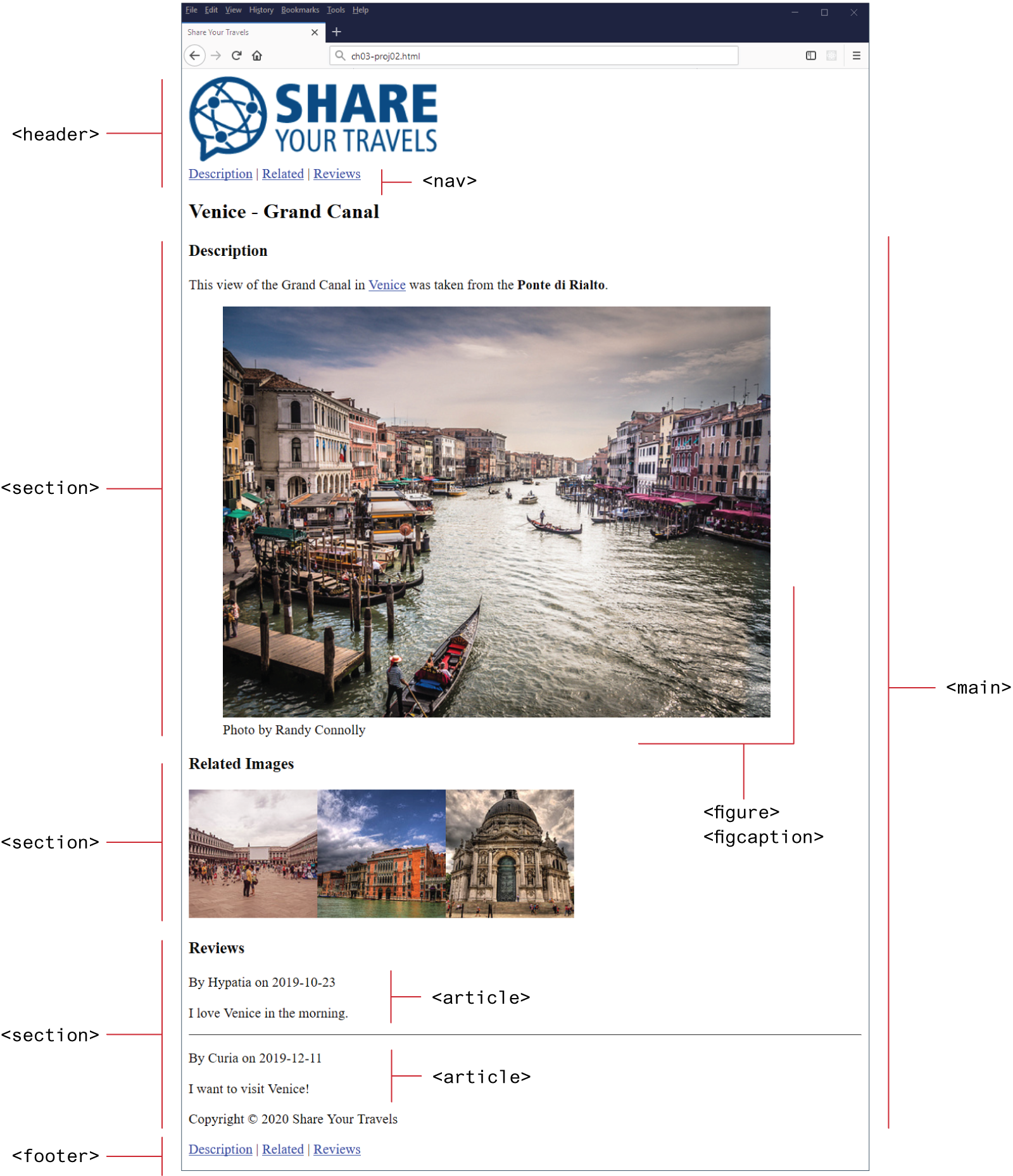
Complete “Hands-On Project 2” from page 118 of the textbook.
- Download and extract ch03-proj02.zip containing the starter files.
- Follow the instructions to replace the
<div>and<p>tags with semantic tags according to Figure 3.33 on page 119. - You will also need to move and add tags as needed, such as the
<figure>element and the copyright statement. - Submit
ch03-proj02.htmlto the corresponding Gradescope assignment.
CodingJS Problems
- Right-click and download codingjs-2.js.
- Complete the following CodingJS problems:
- Paste each of your solutions into
codingjs-2.js.- Don’t forget to type your name in the comment at the top of the file.
- Submit
codingjs-2.jsto the corresponding Gradescope assignment.